VRS X Activation & Licensing
Why activation if this is a freeware?
VRS X is currently in closed beta. The activation system is a temporary measure designed to protect the binary files and control the distribution of the early-access builds.
How can I activate VRS X?
If you are a feeder or contributor, you should have received an e-mail with a license key (format: 12345-ABCDE-67890-FGHIJ ).
On the first run, VRS X will prompt you for the key. Simply paste it and click "ACTIVATE". The app will do the rest.
Moving to another machine
Same machine: No worries. You can overwrite, move, or delete your VRS X app as often as you like. The activation is tied to your hardware.
New machine: During the beta, you have a limited number of activations (default: 2). If you reach the limit and need more, just reply to your license e-mail with a short explanation.
The "Why" (let's be honest)
In the past, my code has been stolen and re-used without my consent. I put hundreds of hours into VRS X, and during this closed-beta stage, I want to ensure my work stays within the community that actually supports it. Once we hit a stable release, these "paranoic" measures will be re-evaluated. This isn't about DRM; it's about respect for the developer's time.
Privacy & Data
Control is good, but trust is better. I collect only the absolute minimum:
Hardware Hash: A unique string derived from your system (e.g., `/etc/machine-id`),but encrypted. We don't see your actual serial numbers.
Hostname Hash:*For example, `pi5-radarservice`, but encrypted.
License Key: To link your build to your feedback/support.
No e-mails, no names, no tracking. You, your software, your instance, my peace of mind
Can I check if my VRS X instance has a valid license?
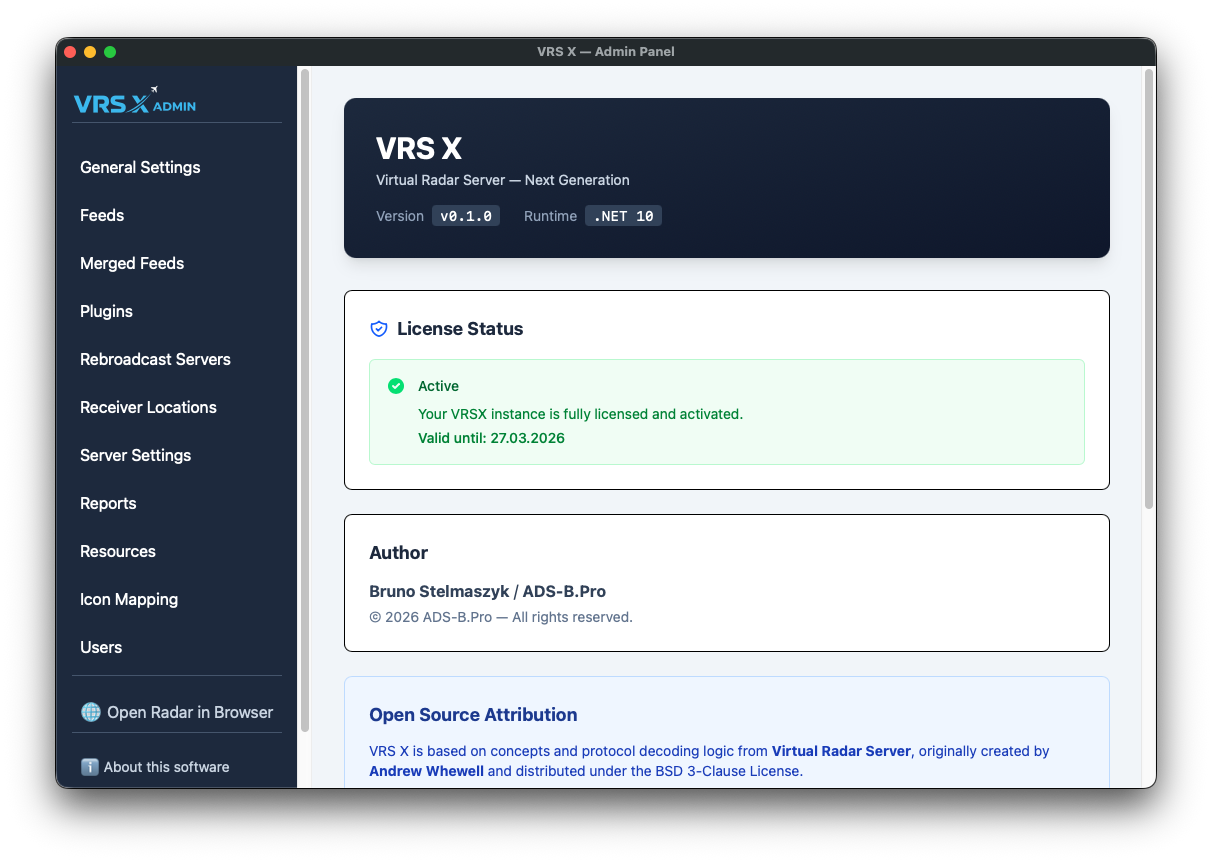
Of course! Select "About this software" from the left pane, and look for "License Status" section: